A few questions a night
Eight questions on one topic, from the syllabus for their standard — not the year above, and not a general pool. On a phone, after homework.


Standard 1 to Standard 5
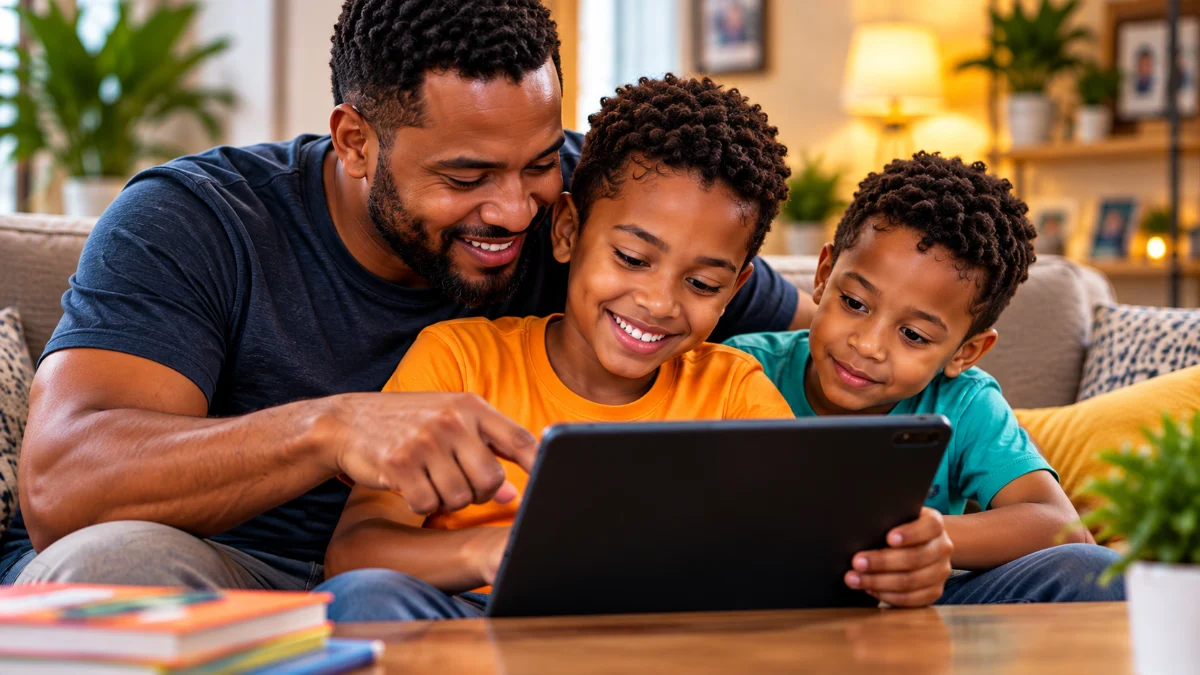
CopyBook discovers where your child needs help, adapts their practice, and shows you what to do next — from Standard 1 to Standard 5.

Hi, I'm Pip. I find where your child needs help, then help them practise exactly that.
Start with CopyBook. New families will be able to create one household and begin with a 14-day or 60-credit free trial, whichever comes first. Already have CopyBook? Use your existing account and continue where you left off.
Join the waitlistCopyBook ADAPT
One clear cycle, so you can see what your child needs instead of guessing what to practise next.
Start with work at your child's own standard.
Find the skills holding later work back.
Change the plan around what they have shown.
Targeted practice and intervention, not just more work.
See what moved, and what still needs a look.
Swipe sideways, or use the arrow keys, to follow all five steps.
A school night with CopyBook
No lesson plans, no marking by hand. Photograph, practise, look.
A page from their copybook comes back marked, question by question. You see the marking first and decide when they do.
Eight questions on the one topic that needs it, at their own standard, on a phone after homework.
What changed this week, what has not been touched, and what is waiting for you. On your phone or in a browser.
What it does
Eight questions on one topic, from the syllabus for their standard — not the year above, and not a general pool. On a phone, after homework.
Standards 4 and 5 work towards the SEA. Below that it is the National Test, and CopyBook says so — a seven year old is not told they are revising for an exam four years away.
Photograph a page from their copybook and it comes back marked, question by question. You see the marking first, and decide when to release it.
Photograph the board or a teacher's notes, and CopyBook works out which topics they cover. You choose whether to open them for your child.
Worksheets, notes, quizzes and full practice papers, made for the topics your child is on and printable at home.
What moved this week, what has not been touched in a month, and what is waiting for you. On your phone, or in a browser.
Inside the app
Your child learns and practises in the CopyBook app on an Android phone. These are real screens from it.
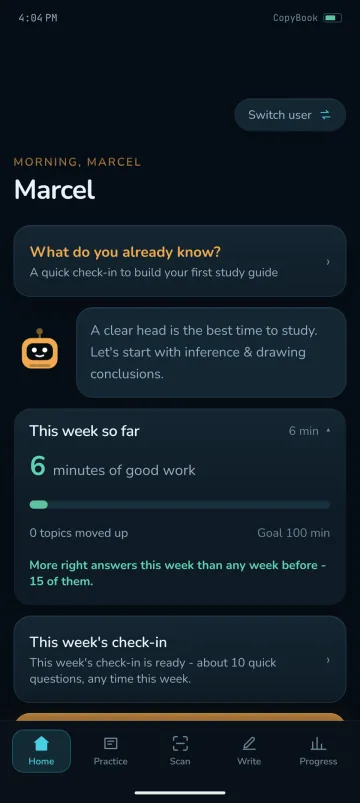
Home
A quick check of what they already know, a tip from Pip, and the practice minutes so far this week.
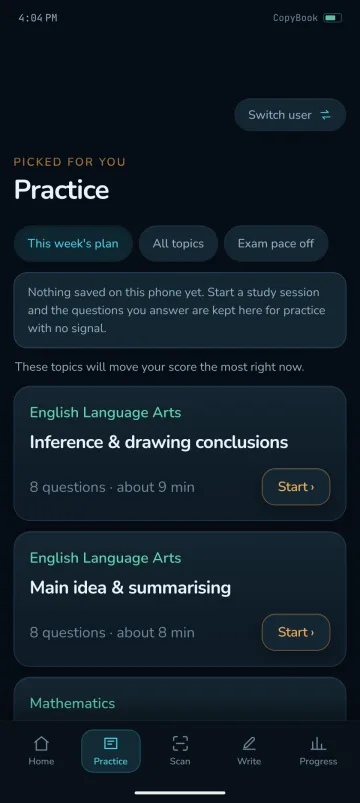
Practice
Topics picked for the child, eight questions in about nine minutes.
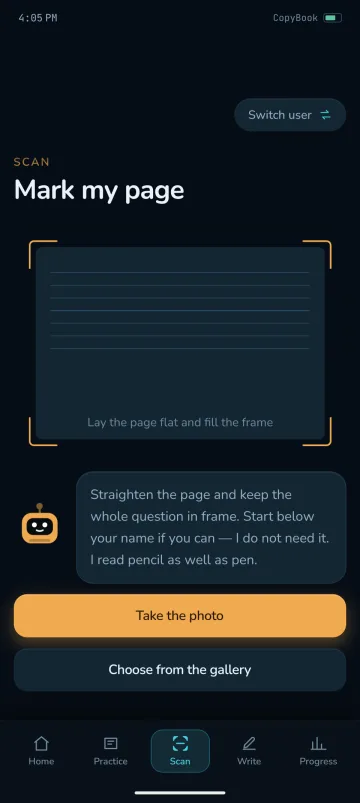
Scan
Mark my page: take a photo of a written page, or choose one from the gallery.
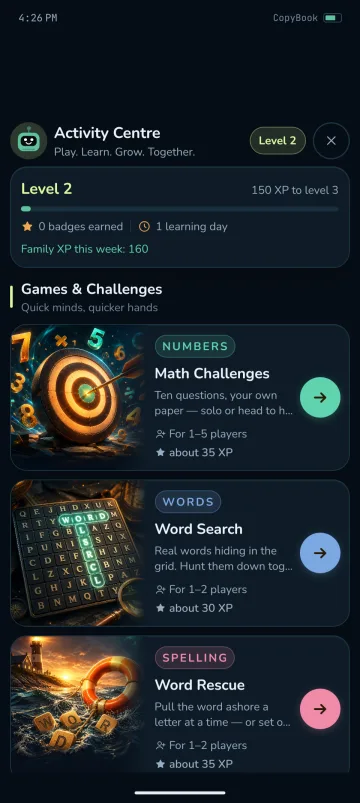
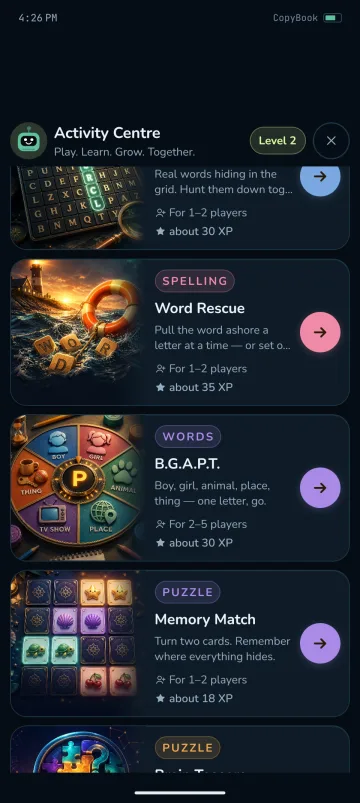
Activity Centre
Games, puzzles and colouring for the whole family, with family levels to work towards. The Activity Centre is part of the Android app; it is not on the website.
Available in the Android app only
Already invited?
Your child practises in the CopyBook app. Open this page on the phone they will use.
Download CopyBook APK · Android
It is safe. Android asks because CopyBook is not on the Play Store yet.
Open this page on the phone your child will use, then tap Download CopyBook.
Your phone will ask if you are sure. Tap Download anyway.
When the download finishes, tap Open.
Android will say Chrome is not allowed to install apps. Tap Settings, switch on Allow from this source, then press back.
Tap Install, then Open.
Sign in with the email and password you were sent.
The app then asks you to choose your own password and a parent PIN. It has to: the ones you were sent are the same for every family, so they are not private until you change them.
Add your child, pick their standard, and they can start.
Get started
New families will be able to create one household and begin with a 14-day or 60-credit free trial, whichever comes first. Already have CopyBook? Open the web app to use it in a browser, or sign in for reports, materials and settings on the parent pages.